/embed edit
Description
Replaces one embed on a message sent by this bot. Select the embed by its 0-based index and provide the new embed JSON.
The target message must be authored by the bot and must contain at least one embed.
See Embed Management ✏️ for the supported JSON fields.
Examples
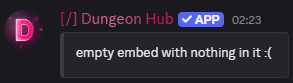
Before
Target message (bot-authored) with an existing embed at index 0.
Command
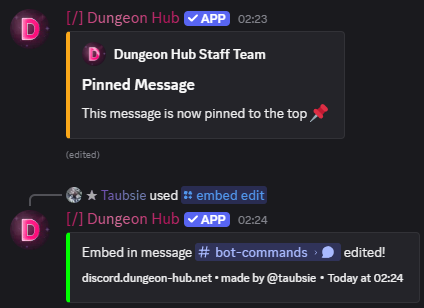
/embed edit link: https://discord.com/channels/693263712626278553/693441386044850256/1452471560135774298 count: 0 embed: {"title":"Pinned Message","description":"This message is now pinned to the top 📌","color":"#FAA61A","author":{"name":"Dungeon Hub Staff Team","icon":"https://static.dungeon-hub.net/favicon.gif"}}
After
Embed at index 0 is replaced with the new data.
Arguments
Name | Type | Description | Optional? | Additional |
|---|---|---|---|---|
| String | Link to the target bot message. | ❌ No | Use “Copy Message Link” in Discord. |
| String | Replacement embed JSON. | ❌ No | Single embed object. |
| Integer | Which embed to edit (0-based). | ✅ Yes | Defaults to |
Notes
Invalid JSON returns an error.
Messages not authored by the bot cannot be modified.
21 August 2026